
01
Start with the Right Biome and Dimension
Most generated structures only appear in particular dimensions, biomes, or terrain. Decide what you are looking for before setting out, then search where it can actually generate instead of sweeping the entire world.
- Use Nether travel for Nether fortresses and bastion remnants
- Search oceans by boat for monuments, ruins, and shipwrecks
- Match villages, pyramids, huts, igloos, and temples to their surface biomes
02
Use Minecraft's Built-in Leads
Several structures have an intended in-game trail. Eyes of Ender lead toward strongholds, explorer maps point toward mansions and trial chambers, and treasure maps found in shipwrecks or ocean ruins lead to buried treasure.
- Level a cartographer villager for explorer maps
- Carry spare Eyes of Ender because they can break
- Read maps while moving in both the X and Z directions
03
Search Efficiently in Survival
Travel in wide, deliberate lines rather than circling the same terrain. Climb for surface visibility, use boats across oceans and rivers, carry fire resistance in The Nether, and mark coordinates so every trip expands the area you have checked.
04
Use Locate Commands When Cheats Are Enabled
If the world allows commands, Minecraft's locate command can return the nearest matching generated structure. Command names and available targets can differ by edition and version, so use the command suggestions shown in chat to select the structure identifier supported by your game.
- Java: begin with /locate structure and choose a suggested identifier
- Bedrock: begin with /locate structure and choose an available structure type
- Teleport only if you want to skip the journey; the returned coordinates can also be followed normally
Structure by Structure
How to Find Structures
These clues work without MineyMap. Structure generation still depends on your edition, version, seed, and unexplored terrain, so a clue can narrow the search without guaranteeing a nearby location.

World Spawn
Find your Minecraft world's original spawn area in survival or with commands, and understand how it differs from your personal respawn point.
Read guide →
Abandoned Camp
Learn where abandoned camps generate, how to search for one in vanilla Minecraft, and how to find explorer maps in camp chests.
Read guide →
Ancient City
Find an ancient city in Minecraft by locating the deep dark, searching beneath mountainous terrain, or using the vanilla locate command.
Read guide →
Bastion Remnant
Find a bastion remnant in Minecraft's Nether using biome knowledge, careful exploration, or the vanilla locate command.
Read guide →
Buried Treasure
Follow a buried treasure map accurately, search the right beach or ocean-floor blocks, and use coordinates when vanilla clues are not enough.
Read guide →
Desert Pyramid
Find desert pyramids by searching desert terrain efficiently, spotting their sandstone shape, or using Minecraft's locate command.
Read guide →
End City
Reach Minecraft's outer End islands and find an End City with safe survival exploration or the vanilla locate command.
Read guide →
Nether Fortress
Find a Nether fortress using safe exploration patterns, visible bridges, or Minecraft's built-in locate command.
Read guide →
Igloo
Find an igloo in snowy Minecraft biomes and check safely for its optional hidden basement.
Read guide →
Jungle Pyramid
Find a jungle pyramid through dense foliage, recognize its mossy cobblestone, and search it without missing traps.
Read guide →
Mineshaft
Find an abandoned mineshaft by exploring caves, listening for clues, searching badlands, or using the locate command.
Read guide →
Ocean Monument
Find an ocean monument using cartographer maps, ocean exploration, or Minecraft's locate command.
Read guide →
Ocean Ruin
Find warm or cold ocean ruins, recognize them underwater, and search their suspicious blocks and chests safely.
Read guide →
Pillager Outpost
Find a pillager outpost by searching its eligible biomes, spotting its tower, or using Minecraft's locate command.
Read guide →
Ruined Portal
Find ruined portals in the Overworld or Nether, spot their netherrack patches, and recover their useful loot.
Read guide →
Shipwreck
Find shipwrecks along coasts and ocean floors, improve underwater visibility, and recover their maps and loot.
Read guide →
Stronghold
Use Eyes of Ender to triangulate a stronghold, dig safely, locate its portal room, or confirm it with commands.
Read guide →
Swamp Hut
Find a swamp hut by searching the correct biome, recognizing its raised shape, or using the vanilla locate command.
Read guide →
Trail Ruins
Find trail ruins by searching their surface clues in the right biomes and excavate them safely with archaeology tools.
Read guide →
Trial Chambers
Find a trial chamber with a trial explorer map, underground clues, or the locate command, then prepare for its combat rooms.
Read guide →
Village
Find a Minecraft village by searching eligible biomes efficiently, following visual clues, or using the locate command.
Read guide →
Woodland Mansion
Find a woodland mansion with a cartographer map, roofed-forest exploration, or Minecraft's locate command.
Read guide →See Structures With MineyMap
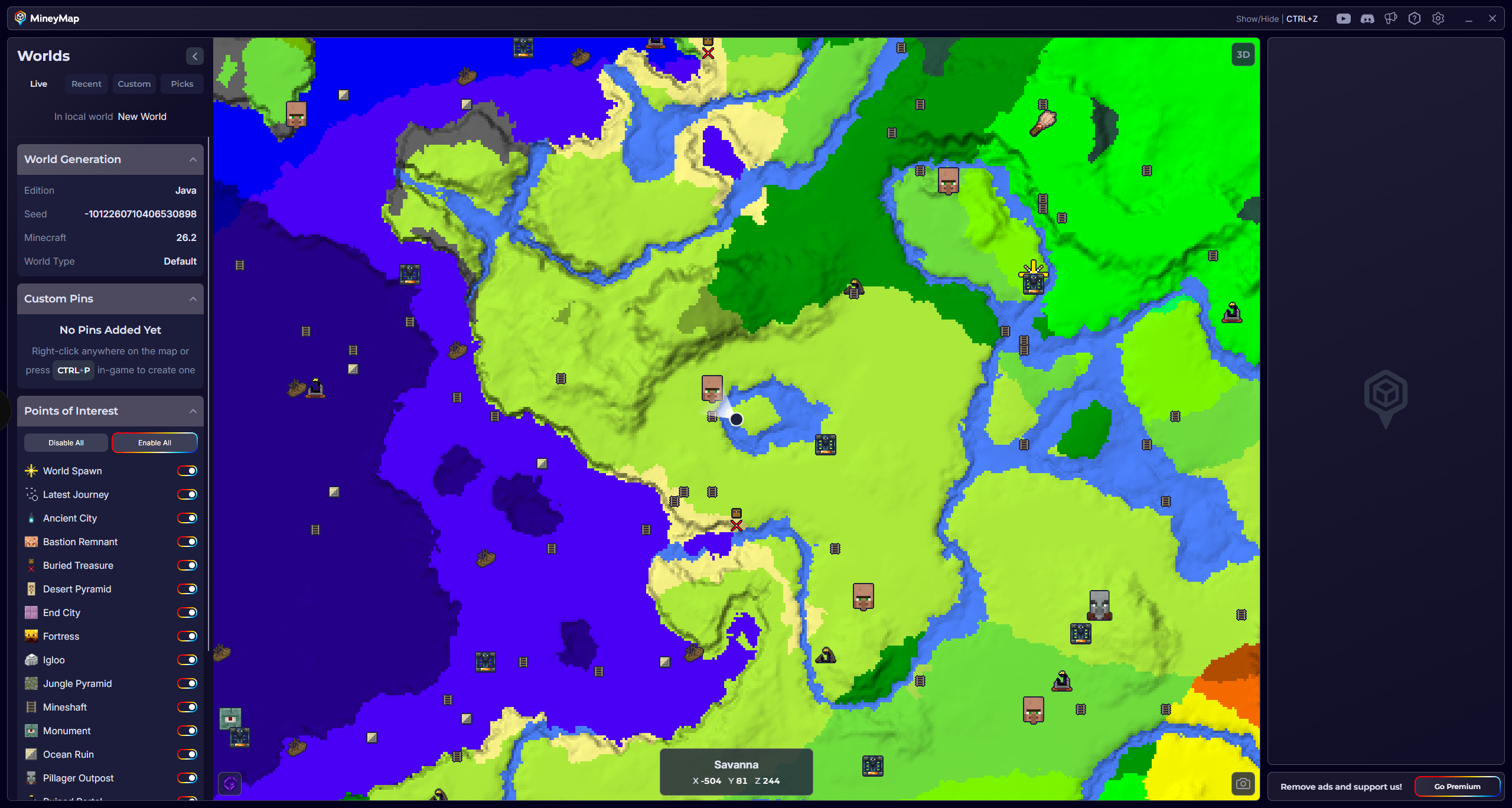
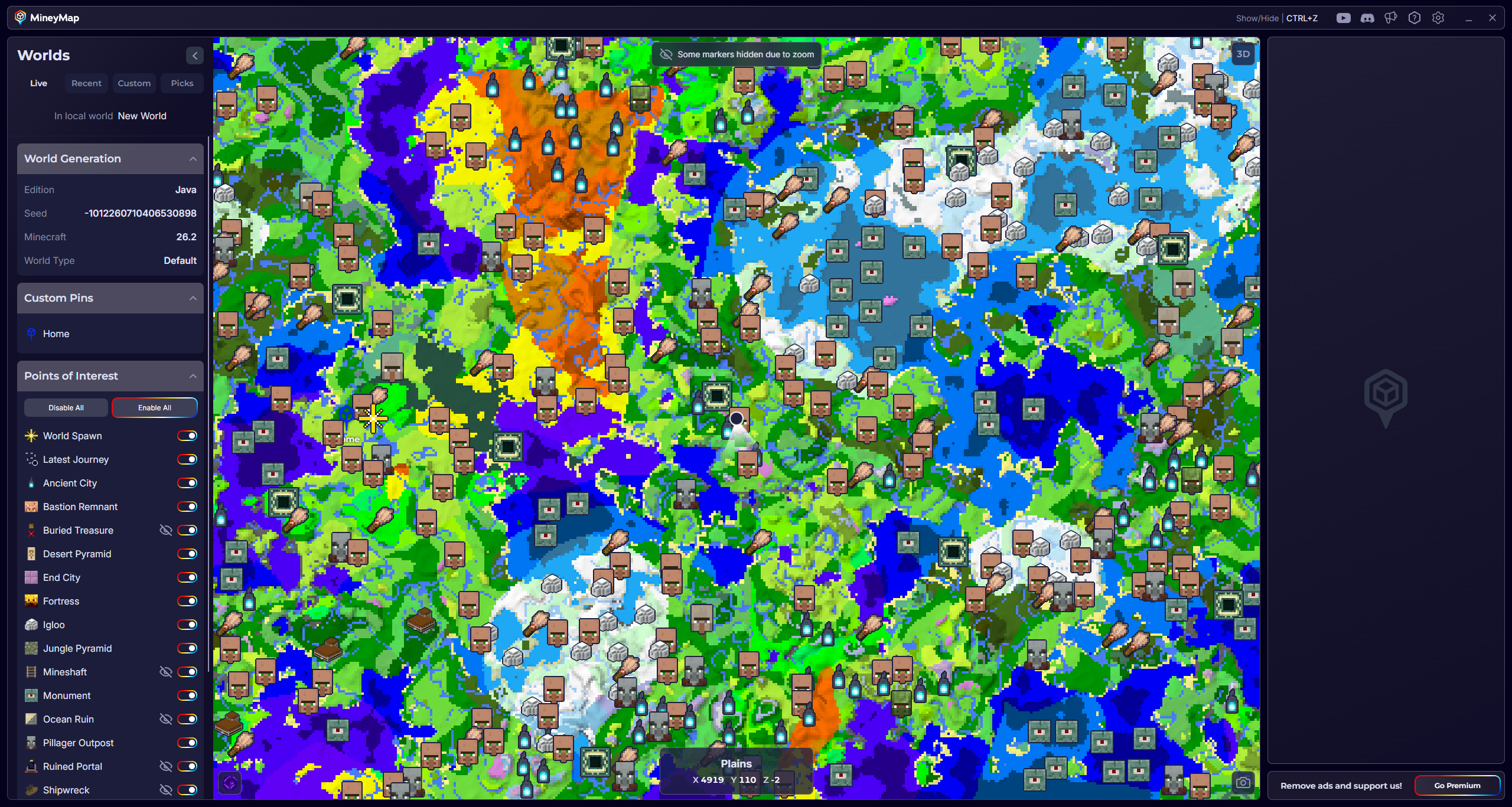
Instead of searching every biome by hand, see MineyMap's supported structures in the live map showcase. Keep the full map on a second screen or open it in game, then follow your live position toward the location you want.
Available Points of Interest
Structures You Can Find with MineyMap
MineyMap supports the same structures across Java and Bedrock, including locations in the Overworld, The Nether, and The End.
 Abandoned Camp
 Ancient City
 Bastion Remnant
 Buried Treasure
 Desert Pyramid
 End City
- Fortress
- Igloo
 Jungle Pyramid
- Mineshaft
- Monument
 Ocean Ruin
 Pillager Outpost
 Ruined Portal
- Shipwreck
- Stronghold
 Swamp Hut
 Trail Ruins
 Trial Chambers
- Village
- Woodland Mansion
- World Spawn