
Where World Spawn Points Generate
World spawn is the area where new players first enter the Overworld. It is separate from the respawn point set by a bed or respawn anchor.
How to Find World Spawn Points
World spawn is a small arrival area rather than an obvious landmark, and it is separate from the respawn point set by a bed.
What to Look For
- Use a normal compass in the Overworld: its needle points toward world spawn, not your bed
- Follow the compass until its needle changes direction as you pass the spawn area
- Leave a marker or record the coordinates once you have narrowed it down
Find World Spawn Points with Commands
Minecraft does not provide a simple locate command for the existing world-spawn coordinates. Operators can use /setworldspawn to move it, but should not do so merely to discover the old point.
Common Search Problems
If the search is taking much longer than expected, check these common causes.
- A compass behaves differently in the Nether and the End
- Sleeping changes your personal respawn point, not world spawn
- World spawn can cover a small area rather than one obvious block
OR!
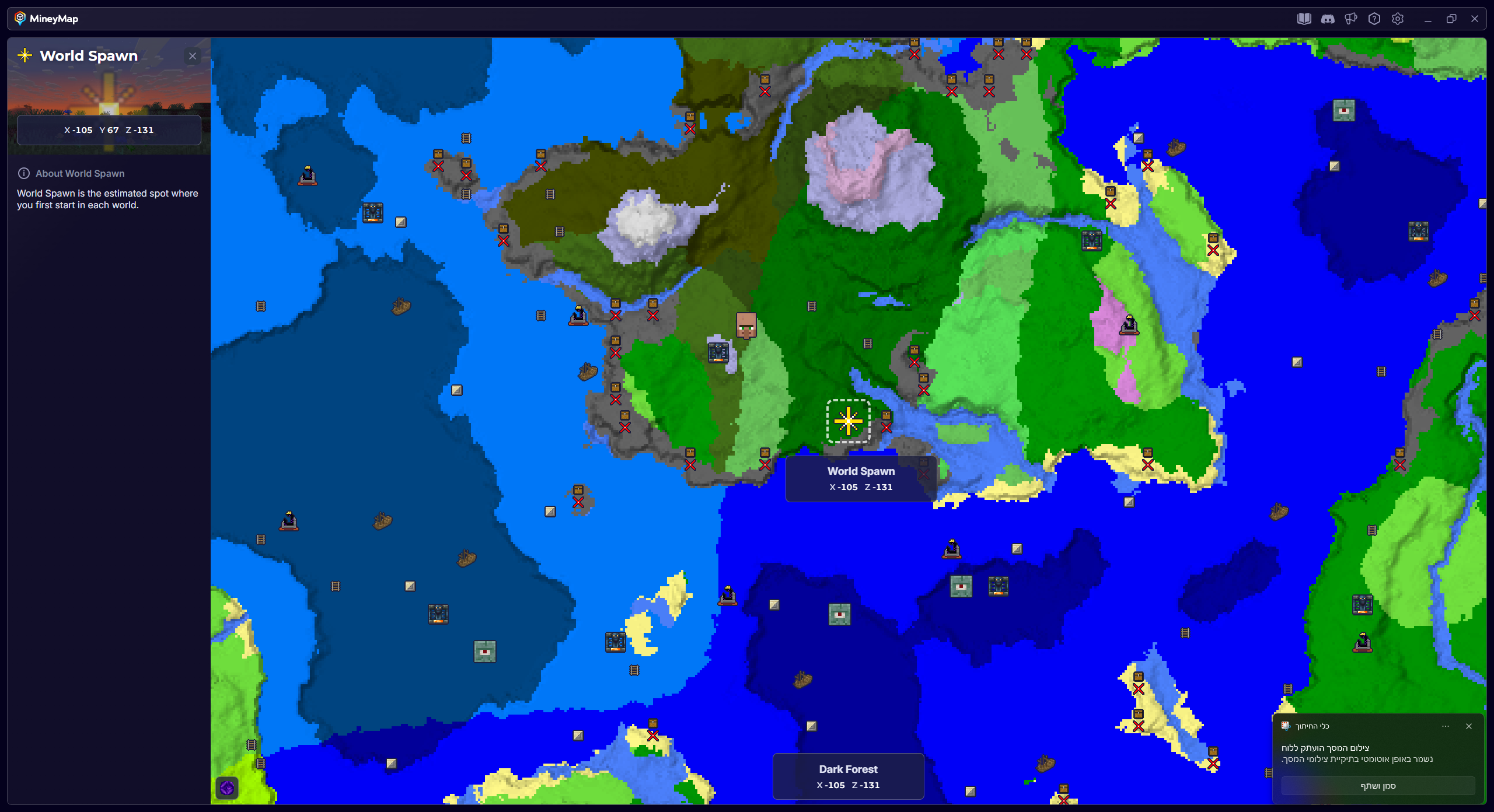
Find World Spawn Points with MineyMap
MineyMap can show World Spawn locations generated in your own world, so you can choose a destination on the map and travel there in-game without searching blindly. See how MineyMap works.